What Is Google Ads and How Does It Work
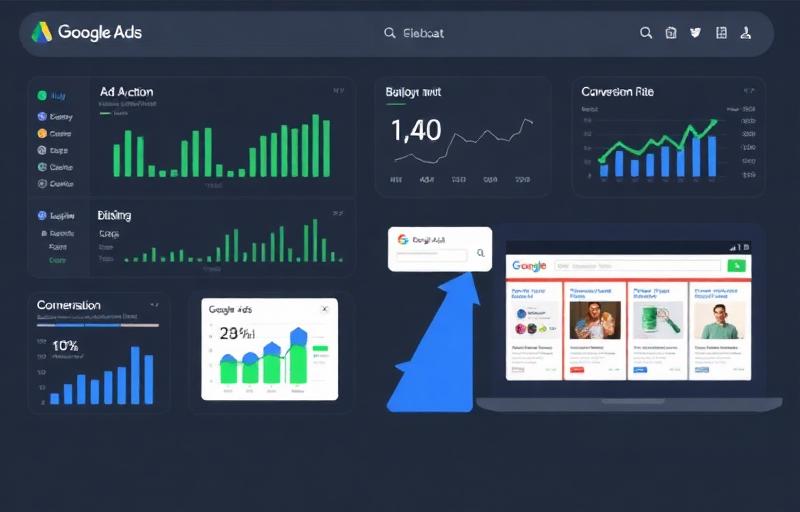
Google Ads is Google's pay-per-click (PPC) advertising platform that allows businesses to display ads in Google search results, on YouTube, across the Google Display Network, in Gmail, and in Google Maps. Unlike SEO, which takes months to produce results, Google Ads can drive targeted traffic to your website within hours of launching a campaign.
The fundamental concept is simple: you bid on keywords relevant to your business, create ads that appear when people search for those keywords, and pay only when someone clicks your ad. However, the platform's depth and complexity mean that the difference between a poorly managed campaign and a well-optimized one is enormous.
As a Google-certified Digital Marketing professional, I have managed Google Ads campaigns across dozens of industries with budgets ranging from $500 to $50,000+ per month. The strategies in this guide are the exact frameworks I use to consistently achieve positive ROAS for my clients.
How the Google Ads Auction Works
The Auction Process:
- 1A user searches for a keyword on Google
- 2Google identifies all advertisers bidding on that keyword
- 3Google evaluates each ad's bid amount, Quality Score, and expected impact of extensions
- 4Google assigns an Ad Rank to each advertiser: Ad Rank = Bid × Quality Score × Expected Extension Impact
- 5Ads are displayed in order of Ad Rank
- 6The advertiser pays the minimum amount needed to maintain their position (not their maximum bid)
You do not necessarily need the highest bid to win the top position. A higher Quality Score can help you pay less per click while maintaining a higher ad position. This is why Quality Score optimization is so critical.
Google Ads Campaign Types
Campaign Types Comparison
| Campaign Type | Ad Format | Best For | Complexity |
|---|---|---|---|
| Search | Text ads in search results | High-intent queries | Medium |
| Display | Image/responsive ads on 2M+ sites | Awareness & remarketing | Low |
| Shopping | Product listings with images/prices | E-commerce | Medium |
| Video | YouTube ads (multiple formats) | Brand awareness | Medium |
| Performance Max | AI-driven across all channels | Automated optimization | Low |
| App | Ads driving app installs | Mobile apps | Low |
| Local | Ads driving foot traffic | Physical locations | Low |
| Demand Gen | Visual ads on YouTube/Discover/Gmail | Demand generation | Medium |
Account Structure Best Practices
A well-organized campaign structure is the foundation of Google Ads success. It affects everything from Quality Score to budget allocation to reporting clarity.
Google Ads Account Structure
Account Level
- Billing settings
- Account access
- Conversion tracking
Campaign Level
- Budget
- Bidding strategy
- Location targeting
- Networks
Ad Group Level
- 5-20 themed keywords
- Dedicated ad copy
- Landing page match
Ad Level
- Headlines (15)
- Descriptions (4)
- Display URLs
- Extensions
Structure Principles:
- Organize campaigns by business objective — brand, non-brand, competitors, product lines
- Create tightly themed ad groups with 10-20 closely related keywords each
- Use Single Theme Ad Groups (STAGs) for your highest-value keywords
- Separate search and display campaigns — they have fundamentally different dynamics
- Create separate campaigns for different locations if performance varies by region
- Use campaign labels and naming conventions for easy reporting
Keyword Research for Google Ads
PPC keyword research differs from SEO keyword research in several important ways. You are paying for every click, so focus on keywords with clear buying or inquiry intent.
PPC Keyword Intent Tiers
| Intent Level | Example Keywords | CPC Range | Value |
|---|---|---|---|
| High (Transactional) | hire SEO expert, buy running shoes | $5-50+ | Highest conversion rate |
| Medium (Commercial) | SEO services pricing, best CRM software | $3-20 | Good comparison traffic |
| Low (Informational) | what is SEO, how to run | $1-5 | Low commercial value for ads |
PPC Keyword Research Tools:
- Google Keyword Planner — Free with a Google Ads account, provides volume and CPC estimates
- Ahrefs PPC Keywords — Shows what keywords competitors bid on
- SEMrush Advertising Research — Reveals competitor ad strategies and spending
- Google Search Terms Report — Shows actual queries triggering your ads (after campaign launch)
- SpyFu — Historical competitor ad data and keyword overlap analysis
Match Types Strategy
Keyword Match Types Explained
| Match Type | Syntax | Reach | Control | Best With |
|---|---|---|---|---|
| Broad Match | keyword | Widest | Lowest | Smart Bidding required |
| Phrase Match | "keyword" | Medium | Medium | Most campaigns |
| Exact Match | [keyword] | Narrowest | Highest | High-value terms |
In 2025, Google has expanded match type definitions significantly. Phrase match now includes implied meaning, and broad match with Smart Bidding can be highly effective. Always pair broad match with automated bidding strategies.
Writing High-Converting Ad Copy
Responsive Search Ads (RSAs) are now the standard format. You provide up to 15 headlines and 4 descriptions, and Google's AI tests combinations to find the best performers.
Ad Copy Best Practices:
- 1Include the target keyword in at least 3 headlines
- 2Use numbers and statistics — '4.9★ Rating' or 'Save 30%'
- 3Include a clear call-to-action — 'Get Free Quote' or 'Start Today'
- 4Highlight unique selling propositions — free shipping, 24/7 support, money-back guarantee
- 5Pin your strongest headline to Position 1 for consistency
- 6Create at least 2 RSAs per ad group to enable testing
- 7Use all 15 headline slots and all 4 description slots
Ad Extensions and Assets
Ad extensions (now called Assets) expand your ad with additional information and increase your ad's real estate in search results. They directly improve your Quality Score and click-through rate.
Essential Extensions:
- Sitelink Extensions — Link to specific pages (services, pricing, contact, about)
- Callout Extensions — Highlight features (Free Consultation, 24/7 Support, No Contracts)
- Structured Snippets — List offerings (Services: SEO, PPC, Web Design, Content)
- Call Extensions — Add clickable phone number for mobile users
- Location Extensions — Show business address and map
- Price Extensions — Display service/product pricing
- Image Extensions — Add relevant images to text ads
Landing Page Optimization
Your landing page directly impacts Quality Score, conversion rate, and overall campaign profitability. Sending traffic to your homepage is almost always a mistake.
Landing Page Essentials:
- Message match — headline must reflect the ad's promise
- Single clear CTA — one primary action per page
- Page speed under 3 seconds — every second of delay reduces conversions by 7%
- Mobile-responsive design — 60%+ of clicks come from mobile
- Trust signals — testimonials, certifications, security badges
- Minimal navigation — reduce distractions and exit points
- HTTPS required — Google penalizes non-secure pages
Bidding Strategies Explained
Google Ads Bidding Strategies
| Strategy | Type | Best For | Data Needed |
|---|---|---|---|
| Manual CPC | Manual | Full control, new accounts | None |
| Enhanced CPC | Semi-automated | Transitioning to automation | Some conversion data |
| Target CPA | Automated | Lead generation | 30+ conversions/month |
| Target ROAS | Automated | E-commerce | 50+ conversions/month |
| Maximize Conversions | Automated | Spending full budget | 15+ conversions/month |
| Maximize Clicks | Automated | Traffic campaigns | None |
Start with Manual CPC or Enhanced CPC while collecting data. Once you have 30+ conversions per month, switch to Target CPA or Target ROAS for significantly better performance.
Conversion Tracking Setup
Without conversion tracking, you are flying blind. You need to know exactly which keywords, ads, and campaigns drive actual business results — not just clicks.
Conversion Tracking Essentials:
- 1Install the Google Ads conversion tracking tag on your thank-you/confirmation pages
- 2Set up Google Analytics 4 and link it to your Google Ads account
- 3Import GA4 conversions into Google Ads for unified reporting
- 4Track phone calls using Google forwarding numbers or call tracking software
- 5Assign conversion values to enable ROAS-based bidding
- 6Set appropriate attribution windows (30-day click, 1-day view is standard)
Quality Score Optimization
Quality Score is Google's rating (1-10) of the quality and relevance of your keywords, ads, and landing pages. It directly impacts your ad position and cost per click.
Quality Score Components
Expected CTR
- Compelling headlines
- Power words
- Numbers & stats
- Ad testing
Ad Relevance
- Keyword in headlines
- Tight ad groups
- Intent match
- Theme consistency
Landing Page
- Message match
- Page speed
- Mobile-friendly
- Relevant content
Quality Score Impact on CPC
| Quality Score | CPC Impact |
|---|---|
| 10 | -50% (pay half the average) |
| 7 | 0% (average baseline) |
| 5 | +25% (pay 25% more) |
| 3 | +67% (pay 67% more) |
| 1 | +400% (pay 4x more) |
Improving your Quality Score from 5 to 10 can cut your CPC in half while maintaining the same ad position. Quality Score optimization is one of the highest-ROI activities in Google Ads.
Negative Keywords Strategy
Negative keywords prevent your ads from showing for irrelevant searches. They are essential for protecting your budget and improving campaign efficiency.
Negative Keyword Best Practices:
- Review the Search Terms Report weekly and add irrelevant terms as negatives
- Create negative keyword lists by theme (competitors, jobs, free, DIY)
- Apply shared negative keyword lists across relevant campaigns
- Use exact match negatives for terms you definitely want to block
- Use phrase match negatives for broader exclusion patterns
- Common universals to exclude: free, cheap, jobs, salary, DIY, tutorial, how to (for service businesses)
Audience Targeting
Layering audience targeting on top of keyword targeting helps you reach the right people with the right message at the right time.
Audience Types:
- In-Market Audiences — People actively researching or comparing products/services
- Affinity Audiences — People with long-term interests aligned with your offering
- Custom Audiences — Define audiences by keywords, URLs, or apps they use
- Customer Match — Upload your customer list for direct targeting
- Similar Audiences — Reach new people similar to your existing customers
Remarketing Campaigns
Remarketing shows ads to people who have previously visited your website. It consistently delivers the lowest CPA and highest conversion rates of any targeting method.
Remarketing Setup:
- 1Install the Google Ads remarketing tag on all pages of your website
- 2Create audience segments — all visitors, specific page visitors, cart abandoners
- 3Build dedicated ads with messaging tailored to returning visitors
- 4Use RLSA (Remarketing Lists for Search Ads) to adjust bids for returning searchers
- 5Set frequency caps to avoid ad fatigue (3-5 impressions per user per day)
- 6Exclude recent converters to avoid wasting budget on completed sales
Performance Max Campaigns
Performance Max (PMax) campaigns use Google's AI to serve ads across all Google channels — Search, Display, YouTube, Gmail, Maps, and Discover — from a single campaign.
PMax Best Practices:
- Provide high-quality creative assets — images, videos, headlines, descriptions
- Set clear conversion goals before launching
- Use audience signals to guide the AI (not restrict it)
- Run PMax alongside dedicated Search campaigns, not as a replacement
- Allow 4-6 weeks for the learning phase before making major changes
- Monitor asset performance and replace underperforming creatives regularly
Google Ads Optimization Framework
Weekly Optimization Tasks:
Review Search Terms Report and add negative keywords
Check Quality Score trends and address drops
Pause underperforming keywords (high spend, no conversions)
Test new ad copy variations
Adjust bids based on performance data
Check budget pacing and reallocate as needed
Monthly Optimization Tasks:
Full account performance review against KPIs
Landing page A/B test analysis
Audience performance review and refinement
Competitor ad analysis (using Auction Insights)
Bid strategy evaluation and potential changes
New keyword expansion research
Budget reallocation from underperformers to winners
Budget Management
Budget Allocation Strategy:
- Start with a budget you can sustain for at least 3 months of testing
- Allocate 70-80% to proven campaigns, 20-30% to testing new strategies
- Use shared budgets for campaigns targeting similar audiences
- Monitor budget pacing daily during the first month
- Increase budgets on campaigns hitting target CPA, decrease on underperformers
- Account for seasonality — adjust budgets for peak and off-peak periods
Case Study: 4.2x ROAS Achievement
Client: SaaS company selling project management software. Starting ROAS: 0.8x (losing money). Monthly budget: $8,000.
Month 1: Audit and Restructure — Audited all campaigns and identified waste. Restructured account with tighter ad groups. Added 200+ negative keywords. Rewrote all ad copy. Created dedicated landing pages. Result: ROAS improved from 0.8x to 1.5x.
Month 2: Optimize and Scale — Implemented Target CPA bidding. Launched remarketing campaigns. Added audience targeting layers. Optimized landing pages with heatmap data. A/B tested 12 ad variations. Result: ROAS improved from 1.5x to 2.8x.
Month 3: Advanced Strategies — Launched Performance Max campaign. Implemented RLSA. Created lookalike audiences from converter lists. Set up automated bid rules. Scaled budget to $12,000/month for winners. Result: ROAS reached 4.2x.
Final Results: ROAS went from 0.8x to 4.2x (425% improvement). CPA reduced by 45%. Conversions increased by 200%. Revenue from ads: $50,400/month from $12,000 spend.
Common Google Ads Mistakes
Google Ads Mistakes to Avoid
| Mistake | Impact | Fix |
|---|---|---|
| No negative keywords | Wasted budget on irrelevant clicks | Review Search Terms weekly |
| Homepage as landing page | Low conversion rate | Create dedicated landing pages |
| Broad match without Smart Bidding | Budget drains quickly | Pair with automated bidding |
| No conversion tracking | Cannot measure ROI | Install tracking before launching |
| Too many keywords per ad group | Low Quality Score | 5-20 tightly themed keywords |
| Ignoring mobile performance | Missed opportunities | Separate mobile bid adjustments |
| Set and forget | Declining performance | Weekly optimization minimum |
FAQ
Start with a budget you are comfortable potentially losing while learning and optimizing. For most small businesses, $1,000-3,000 per month is a good starting point. The key is not the amount but the optimization behind it.
With proper setup and management, you can see results within the first week. However, optimization typically takes 2-4 weeks of data collection before campaigns reach peak performance. Full optimization usually takes 2-3 months.
Both. Google Ads provides immediate traffic while SEO builds long-term organic visibility. The ideal strategy combines both for maximum impact and coverage across the customer journey.
A ROAS of 3x-5x is generally considered good (earning $3-5 for every $1 spent). However, acceptable ROAS varies by industry and profit margins. E-commerce typically targets 4x+, while service businesses may be profitable at 2x.
📚 Continue Reading
Written by

Noman Hassan
SEO Expert & Web Developer
Google-certified SEO strategist with 50+ projects delivered across 15+ countries. Specializing in technical SEO, content strategy & web development.