What Is On-Page SEO?
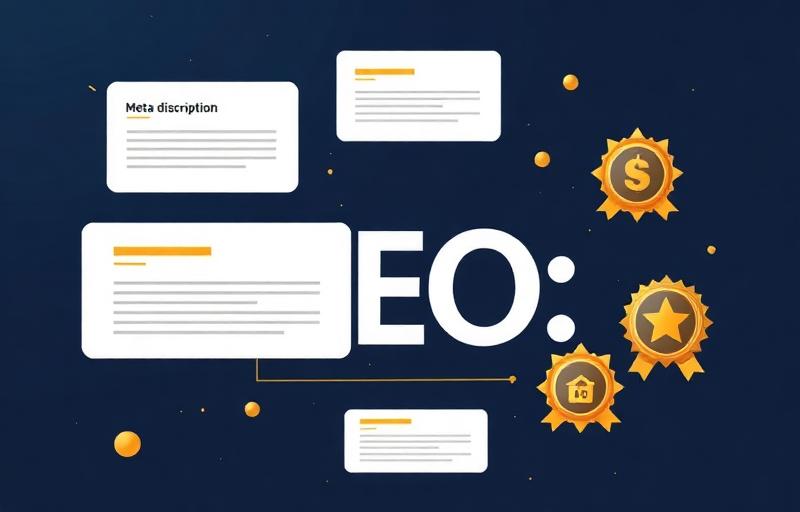
On-page SEO refers to the practice of optimizing individual web pages to rank higher and earn more relevant traffic from search engines. Unlike off-page SEO, which involves external signals like backlinks, on-page SEO focuses entirely on elements you can control directly on your website.
Think of on-page SEO as the foundation of your entire SEO strategy. No matter how many backlinks you build or how much you spend on advertising, if your on-page elements are not properly optimized, you are leaving massive ranking potential on the table.
On-page SEO encompasses everything from the HTML source code of a page to the actual content that users see and interact with. This includes title tags, meta descriptions, header tags, URL structures, content quality, internal links, images, schema markup, and much more.
As a Google-certified SEO specialist with certifications from Ahrefs, HubSpot, and the University of California Davis, I have optimized hundreds of pages across dozens of industries. In this definitive guide, I am going to share every on-page SEO technique I use to consistently achieve first-page rankings for my clients.
On-page SEO is not about stuffing keywords into your content. In 2025, it is about creating a seamless experience that satisfies both search engine algorithms and human users simultaneously.
The On-Page SEO Ecosystem
Content
- Keyword Placement
- Content Length
- Content Freshness
- E-E-A-T Signals
- Search Intent Match
HTML
- Title Tags
- Meta Descriptions
- Header Tags (H1-H6)
- Schema Markup
- Canonical Tags
Technical
- URL Structure
- Page Speed
- Mobile Optimization
- Core Web Vitals
- HTTPS Security
Links
- Internal Linking
- Anchor Text Strategy
- Silo Structure
- Hub & Spoke Model
- Breadcrumbs
Visual
- Image Optimization
- Alt Text
- Compression (WebP)
- Lazy Loading
- Original Graphics
Why On-Page SEO Still Matters in 2025
Some marketers argue that on-page SEO has become less important with the rise of AI-generated content and algorithm updates. Nothing could be further from the truth. Here is why on-page SEO remains critical in 2025:
A well-crafted title tag can increase your click-through rate by 20-40%, directly impacting your organic traffic and rankings.
5 Reasons On-Page SEO Is More Important Than Ever:
- 1Google's AI Needs Clear Signals — Google's algorithms (RankBrain, BERT, MUM, Helpful Content System) rely heavily on on-page signals to understand what a page is about. Without properly optimized on-page elements, even the best content can be misunderstood by search engines.
- 2Direct Impact on Click-Through Rates — Your title tag and meta description are the first things users see in search results. Optimizing these elements directly impacts your CTR, which Google uses as a ranking signal.
- 3Foundation for All Other SEO Activities — On-page SEO is the bedrock upon which technical SEO, off-page SEO, and content marketing strategies are built. Without solid on-page fundamentals, your link building and content creation will not reach their full potential.
- 4Competitive Advantage — In competitive niches, the difference between ranking first and ranking fifth often comes down to on-page optimization. When multiple pages have similar content quality and backlink profiles, the one with superior on-page SEO wins.
- 5User Experience Alignment — Google has made it clear through its Page Experience update and Core Web Vitals integration that user experience is a ranking factor. On-page SEO, when done correctly, naturally improves user experience.
The Complete On-Page SEO Checklist
Before we dive deep into each element, here is a comprehensive checklist that I use for every page I optimize. Use this as your go-to reference whenever publishing or updating content.
Complete On-Page SEO Checklist
| Category | Element | Priority |
|---|---|---|
| Content | Primary keyword in first 100 words | Critical |
| Content | Secondary keywords naturally distributed | High |
| Content | Content length matches search intent (2000+ for guides) | High |
| Content | Unique, original content with genuine value | Critical |
| Content | LSI keywords naturally included | Medium |
| HTML | Optimized title tag (50-60 chars, keyword near beginning) | Critical |
| HTML | Compelling meta description (150-160 chars with CTA) | High |
| HTML | Single H1 tag with primary keyword | Critical |
| HTML | Logical H2-H6 hierarchy | High |
| HTML | SEO-friendly URL structure | High |
| HTML | Schema markup implemented | High |
| HTML | Canonical tag set correctly | Medium |
| Visual | All images compressed and optimized (WebP) | High |
| Visual | Descriptive alt text on every image | High |
| Visual | Lazy loading for below-the-fold images | Medium |
| Links | Links to related pillar content | High |
| Links | Descriptive anchor text used | High |
| Links | No broken internal links | Critical |
| Links | Breadcrumb navigation implemented | Medium |
| UX | Mobile responsive design | Critical |
| UX | Page load under 3 seconds | Critical |
| UX | Table of contents for long content | High |
Title Tag Optimization
The title tag is arguably the single most important on-page SEO element. It tells both search engines and users what your page is about, and it is the first thing people see in search results.
Title Tag Best Practices for 2025:
- 1Keep Under 60 Characters — Google typically displays the first 50-60 characters. Longer titles get truncated with an ellipsis, which looks unprofessional and reduces clicks.
- 2Primary Keyword Near the Beginning — Search engines give more weight to words that appear earlier. Write "On-Page SEO: The Complete Guide" instead of "A Complete Guide to On-Page SEO."
- 3Make It Compelling and Click-Worthy — Use power words, numbers, and brackets to stand out. "On-Page SEO: 21 Proven Techniques to Rank #1 [2025]" beats "On-Page SEO Techniques" every time.
- 4Include Brand Name When Appropriate — For homepage and service pages, append your brand with a pipe separator. For blog posts, this is optional depending on title length.
- 5Avoid Keyword Stuffing — "SEO | SEO Guide | SEO Tips | SEO Techniques" will hurt rather than help. Use your primary keyword once and make the rest human-readable.
- 6Use Modifiers Strategically — Words like "best," "complete," "ultimate," "guide," "checklist," and year modifiers like "2025" help capture long-tail queries and signal freshness.
Title Tag Formula:
Primary Keyword: Compelling Modifier + Benefit [Year] | Brand
Example formulas:
• On-Page SEO: The Definitive Guide to Rank #1 in 2025 | Noman Hassan
• Local SEO Checklist: 47 Steps to Dominate Local Search [2025]
• Google Ads Guide: How to 3X Your ROI With Proven Strategies
Title Tag Formula Examples
| Page Type | Formula | Example |
|---|---|---|
| Blog Post | Keyword: Modifier + Benefit [Year] | On-Page SEO: The Definitive Guide to Rank #1 in 2025 |
| Service Page | Service + Location + Benefit | Brand | SEO Services in Lahore — Grow Your Organic Traffic | NH |
| Product Page | Product — Key Feature + Benefit | Ahrefs Keywords Explorer — Find Profitable Keywords Fast |
| Homepage | Brand — Primary Value Proposition | Noman Hassan — Google-Certified SEO Expert & Consultant |
Meta Description Best Practices
While meta descriptions are not a direct ranking factor, they significantly impact your click-through rate, which indirectly affects rankings. Think of your meta description as a mini sales pitch for your page.
How to Write Meta Descriptions That Convert:
- 1Keep Between 150-160 Characters — This ensures your entire description is visible in search results without truncation.
- 2Include Your Primary Keyword Naturally — When someone searches for your keyword, Google bolds matching terms, making your listing stand out visually.
- 3Add a Clear Call-to-Action — End with phrases like "Learn more," "Get started today," "Read the complete guide." This gives users a reason to click.
- 4Highlight Unique Value — What makes your page different? Mention specific numbers, results, or credentials that set you apart.
- 5Match Search Intent — If someone searches "how to do on-page SEO," your meta description should promise to teach them exactly that.
Example Meta Description:
Master every on-page SEO factor with this comprehensive 2025 guide. Learn title tags, meta descriptions, schema markup, internal linking & more. Written by a Google-certified SEO expert. Read now!
(156 characters — includes primary keyword, credentials, and CTA)
Header Tags Hierarchy (H1-H6)
Header tags create a content hierarchy that helps both search engines and users understand the structure of your page. They are essential for both SEO and accessibility.
Proper Header Hierarchy Example:
H1: On-Page SEO Guide
H2: What Is On-Page SEO
H2: Title Tag Optimization
H3: Title Tag Best Practices
H3: Title Tag Examples
H4: E-Commerce Title Tags
H4: Blog Post Title Tags
H2: Meta Description
H3: How to Write Meta Descriptions
Key rules:
• Only ONE H1 per page (includes primary keyword)
• H2s for main sections (include secondary keywords)
• H3s for subsections (long-tail variations)
• Never skip levels (H2 → H4 without H3)
Common mistake: Many people use header tags for styling purposes rather than structure. Never use an H2 just because you want bigger text. Use CSS for styling and reserve header tags for semantic structure.
URL Structure Optimization
Your URL structure is a subtle but important on-page SEO factor. A clean, descriptive URL helps search engines understand your page and improves user trust.
URL Optimization Best Practices:
- 1Keep URLs Short and Descriptive — Aim for 3-5 words in the URL path. Use /blog/on-page-seo-guide instead of /blog/the-complete-and-definitive-guide-to-on-page-search-engine-optimization.
- 2Include Your Primary Keyword — Pages with keywords in the URL have a correlation with higher rankings. This gives a clear relevance signal.
- 3Use Hyphens, Not Underscores — Google treats hyphens as word separators but treats underscores as word joiners. Use on-page-seo-guide, not on_page_seo_guide.
- 4Use Lowercase Letters Only — Some servers treat uppercase and lowercase URLs as different pages, creating duplicate content issues.
- 5Create a Logical Folder Structure — Your URLs should reflect your site's silo structure for topical organization.
Silo URL Structure Example:
/blog/on-page-seo-guide → Silo 1: On-Page SEO
/blog/keyword-research-guide → Silo 1: On-Page SEO
/blog/technical-seo-audit → Silo 2: Technical SEO
/blog/core-web-vitals-guide → Silo 2: Technical SEO
/blog/link-building-strategies → Silo 3: Off-Page SEO
/blog/guest-posting-guide → Silo 3: Off-Page SEO
Content Optimization Strategies
Content is the heart of on-page SEO. Without high-quality, relevant content, no amount of technical optimization will help you rank. Here is the exact 5-step content optimization framework I use for every piece of content:
Understand Search Intent — Before writing a single word, search your target keyword and analyze the top 10 results. Determine whether the intent is informational, navigational, commercial, or transactional. Your content must match the dominant intent — if Google shows how-to guides, writing a product page will not rank.
Analyze Top-Ranking Content — Study the top 10 results: What topics do they all cover? What is their average word count? What unique angles or data do they include? What questions do they answer? What is missing? This reveals the content baseline you need to meet and exceed.
Create a Comprehensive Outline — Based on your research, create an outline that covers everything the top results cover PLUS additional value that none of them provide. This is how you create content that is genuinely 10x better than the competition.
Write for Humans First — Your content should flow naturally, be engaging, and provide real value. Write as if you are explaining the topic to a knowledgeable colleague. After writing, go back and optimize for keywords, structure, and technical elements.
Add Unique Value Elements — Include elements that competitors lack: original data and research, expert insights, custom images and infographics, real-world case studies, downloadable resources, and interactive tools. This is what makes your content truly stand out.
Content Length Guidelines by Query Type
| Query Type | Recommended Word Count | Search Intent | Content Format |
|---|---|---|---|
| Simple queries | 800-1,500 words | Quick answers | Short-form article or FAQ |
| Standard informational | 1,500-3,000 words | In-depth learning | Blog post or tutorial |
| Comprehensive guides | 3,000-7,000+ words | Complete mastery | Ultimate guide or pillar page |
| Product/service pages | 500-1,500 words | Purchase decision | Sales page with features & benefits |
| Local landing pages | 1,000-2,000 words | Local purchase intent | Location page with reviews & maps |
Keyword Placement & Density
Strategic keyword placement helps search engines understand your page's topic without making your content feel forced or unnatural.
Where to Place Your Primary Keyword (9 Locations):
- 1Title Tag — As close to the beginning as possible. This is the strongest on-page signal.
- 2H1 Tag — Naturally incorporated into your main heading.
- 3First 100 Words — Establishes topic relevance immediately for both search engines and readers.
- 4URL Slug — Clean and concise, reinforcing the page's topic in the URL.
- 5Meta Description — For CTR optimization. Google bolds matching terms.
- 6At Least One H2 — Reinforces topical relevance in your content structure.
- 7Image Alt Text — Include in at least one image's alt attribute.
- 8Last 100 Words — Concludes the content with a relevance signal.
- 9Throughout the Body — Naturally distributed. Aim for 3-8 times in a 2,000-word article without forcing it.
The concept of keyword density is outdated. Instead of targeting a specific percentage, focus on natural usage. If your keyword fits naturally more often, that is fine. If it feels forced, you are overusing it. Use LSI and semantic keywords like "search engine optimization," "page optimization," "meta tags," and "content optimization" to build topical depth.
Internal Linking Strategy
Internal linking is one of the most underrated on-page SEO tactics. It distributes page authority, helps search engines discover and index pages, and guides users through your content.
My Internal Linking Framework:
- 1Hub and Spoke Model (Silo Structure) — Create pillar pages (hubs) that link to and from supporting content (spokes). This on-page SEO guide links to the keyword research masterclass, technical SEO audit guide, and other supporting content within the same silo.
- 2Use Descriptive Anchor Text — Never use "click here" or "read more." Use descriptive phrases: "Learn more about our technical SEO audit process" instead of "Click here."
- 3Link Deep, Not Just to the Homepage — Many sites only link to their homepage and main categories. Link to specific blog posts, service pages, and resource pages.
- 4Add Internal Links to New AND Old Content — When you publish a new post, go back to 3-5 existing posts and add links to the new content. This helps new pages get discovered faster.
- 5Keep Every Link Relevant — Only link to pages genuinely relevant to the topic. Irrelevant internal links confuse search engines and frustrate users.
Internal Linking Benchmarks:
• 1,000-word article: 5-8 internal links
• 2,000-word article: 8-15 internal links
• 3,000+ word guide: 15-25 internal links
• Homepage: 15-30+ internal links
Every link should be purposeful — no link should exist just to hit a number.
Image Optimization & Alt Text
Images make your content more engaging, but unoptimized images can slow down your page and create missed SEO opportunities.
Image Optimization Checklist:
- 1File Name Optimization — Rename files with descriptive, keyword-rich names: on-page-seo-checklist-infographic.png instead of IMG_20250115_001.jpg.
- 2Alt Text Best Practices — Describe the image accurately, include relevant keywords naturally, keep under 125 characters, never start with "image of." Example: alt="On-page SEO checklist showing 21 optimization factors for 2025"
- 3Image Compression — Convert to WebP format (30-50% smaller than JPEG/PNG), aim for images under 100KB, use tools like TinyPNG or Squoosh.
- 4Responsive Images — Use the srcset attribute to serve different sizes based on device screen width. Prevents mobile users from downloading desktop-sized images.
- 5Lazy Loading — Implement lazy loading for images below the fold. Images only load when users scroll to them, dramatically improving initial page load time.
- 6Original Images — Use custom graphics, screenshots, or infographics instead of stock photos. Original images can appear in Google Image search and drive additional traffic.
Schema Markup Implementation
Schema markup (structured data) helps search engines understand the context and meaning of your content. It can also earn you rich snippets in search results, which significantly improve visibility and CTR.
Article Schema — JSON-LD Example:
{
"@context": "https://schema.org",
"@type": "Article",
"headline": "On-Page SEO: The Definitive Guide to Rank #1 in 2025",
"author": {
"@type": "Person",
"name": "Noman Hassan",
"url": "https://nomanhassan.com/about"
},
"publisher": { "@type": "Organization", "name": "Noman Hassan" },
"datePublished": "2025-01-15",
"dateModified": "2025-01-15"
}
FAQ Schema — JSON-LD Example:
{
"@context": "https://schema.org",
"@type": "FAQPage",
"mainEntity": [
{
"@type": "Question",
"name": "What is on-page SEO?",
"acceptedAnswer": {
"@type": "Answer",
"text": "On-page SEO refers to the practice of optimizing individual web pages to rank higher..."
}
}
]
}
BreadcrumbList Schema — JSON-LD Example:
{
"@context": "https://schema.org",
"@type": "BreadcrumbList",
"itemListElement": [
{"@type": "ListItem", "position": 1, "name": "Home", "item": "https://nomanhassan.com"},
{"@type": "ListItem", "position": 2, "name": "Blog", "item": "https://nomanhassan.com/blog"},
{"@type": "ListItem", "position": 3, "name": "On-Page SEO Guide"}
]
}
Other essential schema types include HowTo Schema (for step-by-step content) and Person Schema (for author pages and E-E-A-T signals). Always validate your markup using Google's Rich Results Test before publishing.
E-E-A-T Signals
E-E-A-T stands for Experience, Expertise, Authoritativeness, and Trustworthiness. While not a direct ranking algorithm, E-E-A-T is a critical component of Google's Search Quality Rater Guidelines and influences how your content is evaluated.
Experience — Share personal case studies and real results. Include screenshots of actual client work. Mention years of experience. Write from first-person perspective with real-world examples that demonstrate you have actually done the work.
Expertise — Display certifications prominently (Google, Ahrefs, HubSpot, UC Davis). Link to your LinkedIn profile and professional credentials. Include detailed author bios. Cite reputable sources throughout your content.
Authoritativeness — Get backlinks from reputable industry websites. Be mentioned or quoted by other experts. Maintain consistent, high-quality content output. Build topical authority through comprehensive silo content coverage.
Trustworthiness — Include clear contact information. Display testimonials and reviews. Have a privacy policy and terms of service. Use HTTPS. Be transparent about who you are and what you do.
User Experience (UX) Factors
Google's Page Experience signals make UX a direct ranking factor. Optimizing for user experience is not optional — it directly impacts your rankings.
53% of mobile users abandon sites that take more than 3 seconds to load. Page speed is both a ranking factor and a conversion factor.
Core Web Vitals Thresholds
| Core Web Vital | Good | Needs Improvement | Poor |
|---|---|---|---|
| LCP (Largest Contentful Paint) | ≤ 2.5 seconds | 2.5 - 4.0 seconds | > 4.0 seconds |
| INP (Interaction to Next Paint) | ≤ 200 ms | 200 - 500 ms | > 500 ms |
| CLS (Cumulative Layout Shift) | ≤ 0.1 | 0.1 - 0.25 | > 0.25 |
Content Readability Best Practices:
- 1Short Paragraphs — Keep paragraphs to 2-4 sentences. Walls of text are intimidating and increase bounce rates.
- 2Bullet Points and Numbered Lists — Break complex information into scannable lists whenever possible.
- 3Bold and Italic for Emphasis — Highlight key terms and important phrases to help skimmers find critical information.
- 4Generous White Space — Add spacing between sections to give content room to breathe.
- 5Readable Typography — Use 16px minimum font size and 1.6-1.8 line height for comfortable reading.
- 6Visual Breaks — Add images, charts, or graphics every 300-400 words to maintain engagement.
Mobile Optimization
With over 60 percent of all searches happening on mobile devices and Google using mobile-first indexing, mobile optimization is non-negotiable. The mobile version of your site IS your site in Google's eyes.
Mobile SEO Essentials:
- Responsive design that adapts to all screen sizes
- Touch-friendly buttons and links (minimum 48×48px tap targets)
- No horizontal scrolling required
- Text readable without zooming
- No intrusive interstitials or pop-ups
- Fast loading on 4G and 3G connections
- Thumb-friendly navigation placement
Test your mobile optimization using Google's Mobile-Friendly Test and by physically browsing your site on different devices. Do not rely solely on desktop browser resizing — real mobile testing reveals issues you will miss otherwise.
Content Freshness & Updates
Google favors fresh, updated content, especially for topics that change over time. A content freshness strategy ensures your pages remain competitive.
My Content Freshness Strategy:
- Add year modifiers to titles to signal freshness
- Update statistics and data annually with current numbers
- Add new sections when new techniques emerge
- Update screenshots with current tool interfaces
- Revise recommendations as tools and best practices evolve
- Always update your schema dateModified and visible date
- Link to newer content you have published since the original
Set a calendar reminder to review and update your top-performing blog posts every 6 months. Content that stays fresh consistently outranks content that is published and forgotten.
On-Page SEO Tools I Recommend
Based on my experience using every major SEO tool available, here are my top recommendations organized by category:
On-Page SEO Tools Comparison
| Category | Tool | Cost | Best For |
|---|---|---|---|
| Keyword Research | Ahrefs Keywords Explorer | $99+/mo | Comprehensive keyword data, SERP analysis |
| Keyword Research | SEMrush Keyword Magic Tool | $129+/mo | Keyword clustering, competitive analysis |
| Keyword Research | Google Keyword Planner | Free | PPC data, search volume ranges |
| On-Page | Surfer SEO | $89+/mo | Content scoring, NLP optimization |
| On-Page | Clearscope | $170+/mo | Content optimization, topic coverage |
| On-Page | Yoast SEO / Rank Math | Free/Premium | WordPress checklist, schema generation |
| Technical | Screaming Frog | Free/£199yr | Site crawling, technical audits |
| Technical | Google Search Console | Free | Index coverage, Core Web Vitals |
| Technical | PageSpeed Insights | Free | Performance recommendations |
| Content | Grammarly | Free/Premium | Grammar and readability |
| Schema | Google Rich Results Test | Free | Schema validation and preview |
Common On-Page SEO Mistakes to Avoid
After auditing hundreds of websites, these are the most common on-page SEO mistakes I encounter — and every single one costs rankings:
10 Critical On-Page SEO Mistakes:
- 1Keyword Stuffing — Forcing your keyword into every sentence makes content unreadable and triggers Google's spam filters. Write naturally and let keywords flow.
- 2Duplicate Title Tags — Every page must have a unique title tag. Duplicate titles confuse search engines about which page to rank and split your ranking signals.
- 3Missing or Duplicate Meta Descriptions — When you skip meta descriptions, Google generates its own snippet — which may not be compelling enough to earn clicks.
- 4Thin Content — Pages with fewer than 300 words rarely rank for competitive keywords. Aim for comprehensive content that thoroughly answers the user's query.
- 5Ignoring Search Intent — Writing a product page when Google shows informational guides will never rank. Always check the SERPs before creating content.
- 6Poor Internal Linking — Orphan pages (pages with no internal links) are difficult for search engines to find and index. Every important page needs internal links pointing to it.
- 7Not Using Schema Markup — You are missing out on rich snippets and enhanced search visibility. Schema is free to implement and can dramatically improve CTR.
- 8Slow Page Speed — A page that takes more than 3 seconds to load loses 53% of its visitors. Optimize images, minify code, and use a CDN.
- 9Not Optimizing Images — Large, uncompressed images with missing alt text are a double penalty — they slow your page AND miss SEO opportunities.
- 10Ignoring Mobile Users — With mobile-first indexing, if your page does not work perfectly on mobile, you are failing the majority of your audience and search engines.
On-Page SEO Case Study: 340% Traffic Increase
Here is a real-world case study demonstrating the power of comprehensive on-page SEO optimization:
340% organic traffic increase in just 4 months — achieved through on-page SEO optimization alone, without building a single new backlink.
Client: A local business in the home services industry. Challenge: Low organic visibility, ranking on page 5+ for primary keywords. Timeline: 4 months.
Month 1: Comprehensive Audit — Conducted a full on-page audit using Screaming Frog and Ahrefs. Identified 47 technical issues, 23 content gaps, and 15 missing schema implementations. Created a prioritized action plan.
Month 2: Title Tags, Meta & Content — Rewrote all title tags and meta descriptions with keyword optimization. Restructured the entire site's header tag hierarchy. Optimized all existing content with proper keyword placement and LSI terms.
Month 3: Schema & Internal Links — Implemented Article, LocalBusiness, FAQ, and BreadcrumbList schema across the site. Built a strategic internal linking structure using the silo model. Compressed all images, added alt text, converted to WebP.
Month 4: Refinement & Results — Fixed remaining technical on-page issues (canonical tags, broken links, duplicate content). Fine-tuned content based on Search Console data. Monitored and adjusted based on ranking movements.
Case Study Results: Before vs After
| Metric | Before | After (4 Months) | Change |
|---|---|---|---|
| Organic Traffic | 1,200/month | 5,280/month | +340% |
| Keywords in Top 10 | 3 | 18 | +15 keywords |
| Featured Snippets | 0 | 7 | +7 snippets |
| Page Speed | 6.2 seconds | 1.8 seconds | -71% |
| Bounce Rate | 72% | 41% | -31 points |
This case study demonstrates that on-page SEO alone can deliver massive results when implemented comprehensively and correctly. The key was systematic execution — addressing every on-page factor rather than cherry-picking a few.
FAQ
Content quality and relevance are the most important on-page SEO factors. Without high-quality content that matches search intent, no amount of technical optimization will help you rank. Title tags come a close second due to their direct impact on both rankings and click-through rates.
There is no magic number. Focus on natural usage rather than a specific density. For a 2,000-word article, your primary keyword might appear 5-10 times naturally. The key is that it should never feel forced or repetitive. Supplement with LSI and semantic keywords for topical depth.
Meta descriptions are not a direct ranking factor. However, they significantly impact click-through rates, which is an indirect ranking signal. A compelling meta description can increase your CTR by 5-10 percent, which can improve your rankings over time.
Review and update your most important pages every 3-6 months. For blog posts, an annual update with fresh data, new sections, and updated screenshots is recommended. For pages targeting time-sensitive keywords, update more frequently.
Word count itself is not a direct ranking factor. However, comprehensive content that thoroughly covers a topic tends to rank better than thin content. The right word count depends on search intent and competition — some queries are best answered in 500 words, while others require 5,000+.
My recommended stack: Ahrefs for keyword research and content analysis, Screaming Frog for technical audits, Surfer SEO for content optimization, Google Search Console for performance monitoring, and Yoast SEO or Rank Math for WordPress optimization.
📚 Continue Reading
Written by

Noman Hassan
SEO Expert & Web Developer
Google-certified SEO strategist with 50+ projects delivered across 15+ countries. Specializing in technical SEO, content strategy & web development.
![Technical SEO Audit: The Complete Step-by-Step Guide [2025]](/images/blog/technical-seo.jpg)