What Is Google Business Profile
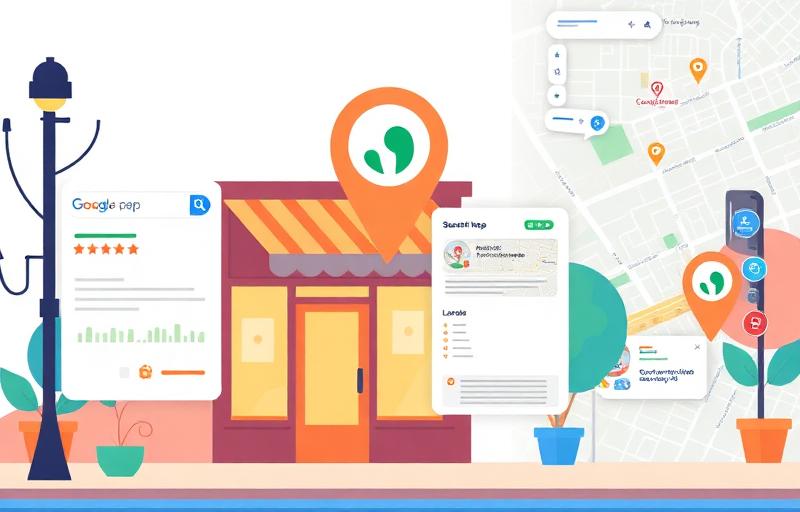
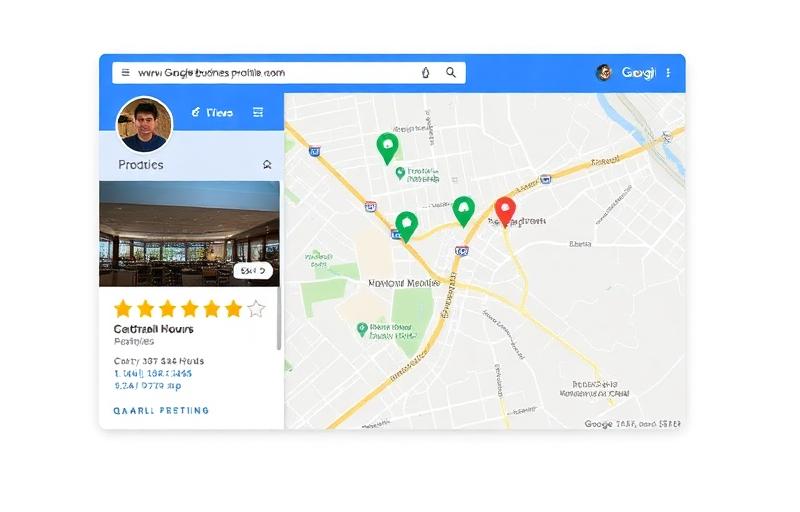
Google Business Profile (GBP), formerly known as Google My Business (GMB), is a free tool provided by Google that allows business owners to manage how their business appears across Google Search and Google Maps. Your GBP listing is essentially your business's homepage on Google.
When someone searches for your business by name or searches for services you offer in your area, your GBP listing may appear in the Map Pack, Knowledge Panel, or Google Maps results. A fully optimized GBP listing displays your business name, address, phone number, website, hours of operation, reviews, photos, posts, products, services, and much more.
Google Business Profile Ecosystem
Search Presence
- Map Pack
- Knowledge Panel
- Local Results
Content Features
- Posts
- Photos & Videos
- Products
- Services
Engagement
- Reviews & Ratings
- Q&A
- Messaging
- Booking
Analytics
- Search Queries
- Views
- Customer Actions
- Photo Views
Why GBP Optimization Is Critical
Your GBP listing is not optional — it is essential. The difference between a basic listing and a fully optimized one can mean thousands of dollars in monthly revenue.
46% of all Google searches have local intent. 76% of people who search for something nearby visit a business within 24 hours. 28% of local searches result in a purchase.
GBP Impact Statistics
| Metric | Impact |
|---|---|
| Local search intent | 46% of all Google searches |
| Visit within 24 hours | 76% of nearby searchers |
| Purchase from local search | 28% of searches |
| Complete listings advantage | 70% more likely to attract visits |
| Views vs. website | GBP generates 5x more views |
Setting Up Your GBP — Step by Step
A properly configured GBP is the foundation. Errors at the setup stage cascade into ranking and visibility issues throughout your local SEO strategy.
GBP Setup Process:
- 1Go to google.com/business and sign in with your Google account
- 2Search for your business name — claim existing or create new listing
- 3Enter your exact legal business name (no keyword stuffing)
- 4Choose your business category (most specific available)
- 5Set your precise address or service area
- 6Add your local phone number (not toll-free if possible)
- 7Add your website URL with UTM tracking parameters
- 8Set accurate business hours including special holiday hours
- 9Complete the verification process
Never add keywords to your business name. 'Joe's Plumbing' is correct. 'Joe's Plumbing — Best Plumber in Dallas TX 24/7 Emergency' will get your listing suspended.
Verification Methods
Google requires business verification to ensure legitimacy. The available methods depend on your business type and location.
Postcard Verification — Google mails a postcard with a PIN to your business address. Takes 5-14 business days. Most common method for new listings.
Phone Verification — Instant verification via automated call or SMS. Available for select businesses only.
Email Verification — Verification code sent to your business email. Instant when available.
Video Verification — Record a video showing your business location, signage, and operations. Takes 1-5 business days for review.
Business Information Optimization
Every field in your GBP listing is an optimization opportunity. Complete profiles rank significantly higher than incomplete ones.
Critical Information Fields:
- Business Name — Use your exact legal name, no keywords added
- Address — Exact match with your website and all citations
- Phone — Local number preferred over toll-free
- Website — Link to the most relevant page (location page if you have one)
- Hours — Accurate regular hours plus special hours for holidays
- Opening Date — Helps establish business age and legitimacy
NAP consistency (Name, Address, Phone) across your GBP, website, and all citations is a critical local ranking factor. Even small variations like 'St.' vs. 'Street' can hurt rankings.
Category Selection Strategy
Your primary category is one of the most important ranking factors for local search. Google offers over 4,000 categories, so precision matters.
Primary Category Rules:
Choose the single most specific category that describes your main business.
'Internet marketing service' is more specific than 'Marketing agency'
'Italian restaurant' is more specific than 'Restaurant'
Choose what you ARE, not what you DO.
Category Selection Example — Digital Marketing Agency
| Type | Category | Notes |
|---|---|---|
| Primary | Internet marketing service | Most specific match |
| Secondary | SEO service | Core offering |
| Secondary | Marketing agency | Broader category |
| Secondary | Web design company | Additional service |
| Secondary | Marketing consultant | Consulting angle |
| Secondary | Advertising agency | Paid ads services |
Use tools like GMB Spy Chrome extension or PlePer's GBP category finder to see what categories your top-ranking competitors use. This reveals category opportunities you might miss.
Business Description Optimization
Your business description has 750 characters to tell potential customers who you are, what you do, and why they should choose you. While the description is not a direct ranking factor, it influences click-through rate and conversions.
Description Writing Formula:
- 1Front-load the most important information in the first 250 characters
- 2Include your primary services and location naturally
- 3Highlight unique selling propositions — what sets you apart from competitors
- 4Mention years of experience, certifications, or awards
- 5Include a call to action — 'Call today for a free consultation'
- 6Avoid promotional language, URLs, HTML, or special characters — Google may reject it
Services and Products Setup
The Services and Products sections give you additional real estate to showcase your offerings and integrate relevant keywords.
Services Optimization:
- Add every service you offer as a separate service item
- Write unique, keyword-rich descriptions for each service (up to 300 characters)
- Group services into logical categories
- Include pricing when possible — transparency builds trust
- Update services seasonally or when offerings change
Products Setup:
- Add your main products with photos, descriptions, and prices
- Use high-quality product images (minimum 720x720 pixels)
- Include product categories for organization
- Link products to relevant pages on your website
- Update products regularly to reflect current availability
Photo and Video Optimization
Businesses with photos receive 42% more requests for driving directions and 35% more click-throughs to their websites. Visual content is a major engagement driver.
Businesses with 100+ photos get 520% more calls and 2,717% more direction requests than the average business. Photo quantity and quality both matter significantly.
Photo Types to Upload
| Photo Type | Quantity | Purpose |
|---|---|---|
| Logo | 1 | Brand recognition |
| Cover photo | 1 | First impression in search |
| Exterior shots | 3-5 | Help customers find you |
| Interior shots | 3-5 | Show atmosphere and ambiance |
| Team photos | 3-5 | Build trust and personal connection |
| Product photos | 5-10 | Showcase offerings |
| Action shots | 5-10 | Show work being done |
| Customer photos | Ongoing | Social proof |
Photo Best Practices:
- Use high-resolution images (minimum 720x720 pixels, recommended 1920x1080)
- Geo-tag photos with your business location metadata
- Add new photos monthly to show activity
- Use real photos — never stock photos
- Upload at least one video (30 seconds to 30 seconds length, under 75MB)
Google Posts Strategy
Google Posts appear directly on your GBP listing and in Google Maps. They show activity, provide timely information, and can influence engagement and rankings.
Google Post Types
| Post Type | Duration | Best Use |
|---|---|---|
| Updates | 7 days | General news, tips, announcements |
| Offers | Custom dates | Promotions with start/end dates |
| Events | Custom dates | Events with times and descriptions |
| Products | Ongoing | Showcase specific products |
Posting Best Practices:
- 1Post at least once per week (2-3 times is optimal)
- 2Include a relevant image with every post (minimum 400x300 pixels)
- 3Include a call-to-action button (Learn More, Book, Call Now)
- 4Keep text under 300 words (150-200 is ideal)
- 5Include relevant keywords naturally in post content
- 6Use offers and events when applicable — they stay visible longer
- 7Track which post types drive the most engagement
Content Ideas for Regular Posts:
Tips related to your service area
Client success stories (anonymized)
Industry news and updates
Behind-the-scenes content
Team introductions
FAQ answers
Seasonal promotions
Community involvement updates
Q&A Management
The Questions & Answers section on your GBP listing is often overlooked but offers a powerful opportunity to control your business narrative and provide helpful information.
Q&A Strategy:
- Pre-populate Q&A with your most common customer questions and answers
- You can ask AND answer your own questions — this is encouraged by Google
- Monitor for new questions and respond within 24 hours
- Upvote helpful questions and answers to pin them higher
- Include relevant keywords naturally in your answers
- Flag and report spam or competitor-posted misleading questions
Review Management and Response
Reviews are the single most influential factor for consumer trust and a significant local ranking signal. Both review quantity and quality matter for rankings.
88% of consumers trust online reviews as much as personal recommendations. Businesses with 4.0+ star ratings earn 12x more revenue from search than those below 4.0 stars.
Review Response Best Practices:
- 1Respond to ALL reviews — positive and negative — within 24 hours
- 2Thank positive reviewers by name and mention specific details they shared
- 3Address negative reviews professionally — acknowledge, apologize, offer resolution
- 4Never get defensive or argumentative in public responses
- 5Include relevant keywords naturally in review responses
- 6Take negative conversations offline — provide a direct contact method
Review Generation Strategies:
- Create a short review link (search 'Google Place ID finder' to generate one)
- Send follow-up emails after service with a direct review link
- Add review requests to invoices and receipts
- Train staff to ask satisfied customers for reviews
- Use QR codes at your physical location linking to your review page
- Never offer incentives for reviews — this violates Google's policies
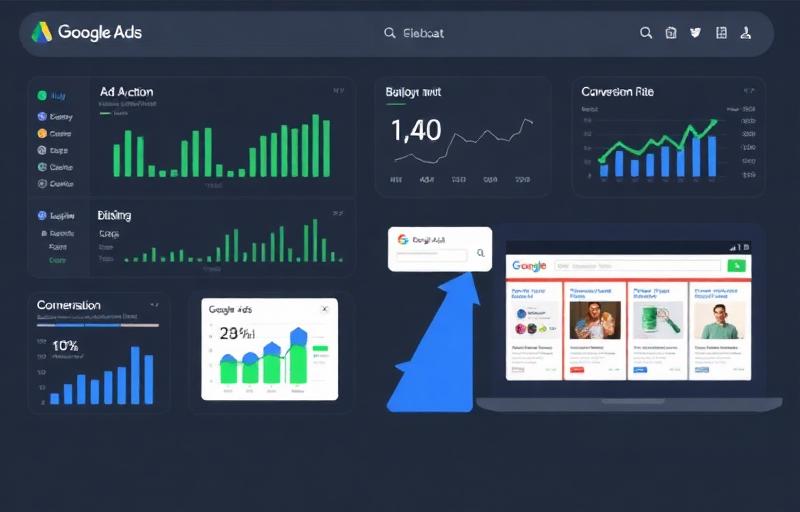
GBP Insights and Analytics
GBP provides valuable performance data that helps you understand how customers find and interact with your listing.
Key Metrics to Track:
- Search queries — what terms triggered your listing
- Views — Maps vs. Search visibility split
- Customer actions — calls, website clicks, direction requests
- Photo views — compared to competitor averages
- Post engagement — clicks and views per post type
- Discovery vs. direct searches — how customers find you
If your 'Discovery' searches significantly outpace 'Direct' searches, your GBP optimization is working — people are finding you through category and service searches, not just your business name.
Advanced GBP Strategies
Justification Optimization
Google shows 'justifications' in local results — snippets from your GBP content that explain why your listing matches the search. These come from your posts, reviews, services, and website.
To trigger justifications:
- Include relevant service keywords in your Google Posts
- Encourage reviewers to mention specific services
- Add detailed service descriptions with keyword variations
- Ensure your website content matches your GBP service listings
Multi-Location Management
If you operate multiple locations, each one needs its own GBP listing with unique content.
- Create separate GBP listings for each physical location
- Write unique descriptions for each location
- Upload location-specific photos
- Generate location-specific reviews
- Create unique Google Posts per location
GBP for Service-Area Businesses
Service-area businesses (SABs) that travel to customers rather than serving from a fixed location have special GBP considerations.
SAB-Specific Tips:
- Set your service area instead of displaying a physical address
- Define up to 20 service areas by city, zip code, or radius
- Do not show your home address if working from home
- You can still rank in the Map Pack without a visible address
- Focus on reviews mentioning specific service areas you cover
Common GBP Mistakes and Suspensions
GBP suspensions can take weeks to resolve and devastate your local visibility. Avoid these common mistakes that trigger suspensions.
Suspension Risk Factors
| Mistake | Risk Level | Consequence |
|---|---|---|
| Keyword stuffing in business name | Very High | Immediate suspension |
| Virtual office address | High | Suspension after review |
| Multiple listings for same business | High | Duplicate removal |
| Fake reviews or review gating | High | Review removal + penalty |
| Using a P.O. Box address | Medium | Listing rejection |
| Inconsistent NAP across web | Medium | Ranking decline |
| Not responding to reviews | Low | Engagement signals drop |
GBP Optimization Checklist
Essential (Do First):
Verify your business
Set accurate business name (no keyword stuffing)
Choose the most specific primary category
Add all relevant secondary categories
Write a keyword-rich 750-character description
Add all services with descriptions
Set accurate business hours (including holidays)
Add local phone number
Add website URL with UTM tracking
Upload logo and cover photo
Important (Do Next):
Upload 20+ high-quality photos
Upload at least 1 video
Add all applicable attributes
Enable messaging
Publish your first Google Post
Add products (if applicable)
Pre-populate Q&A with common questions
Set up appointment/booking link
Ongoing:
Publish 2-3 Google Posts per week
Respond to all reviews within 24 hours
Add new photos monthly
Monitor and respond to questions
Update hours for holidays
Check for and resolve suggested edits
Monitor insights monthly
Generate new reviews consistently
FAQ
Postcard verification takes 5-14 business days. Phone or email verification is instant when available. Video verification typically takes 1-5 business days for review.
Yes, basic optimization is straightforward. However, advanced optimization, competitive analysis, and ongoing management benefit from professional expertise, especially in competitive local markets.
I recommend 2-3 posts per week for optimal visibility and engagement. At minimum, post once per week to show activity. Update posts expire after 7 days, so consistent posting is important.
Common reasons include keyword stuffing in the business name, using a virtual office address, having multiple listings for the same business, violating Google's guidelines, or user reports. Review Google's guidelines and submit a reinstatement request.
📚 Continue Reading
Written by

Noman Hassan
SEO Expert & Web Developer
Google-certified SEO strategist with 50+ projects delivered across 15+ countries. Specializing in technical SEO, content strategy & web development.